
Things You Will Need To Sync Your Xiegu G90 To The HDSDR
If you already have a line input on your PC, then you will not need the stereo audio adapter. Some computers, depending on what brand and how old they are, have a mic and line on the same input on the back of your PC. It will give you the option to choose a mic-in or line-in from a pop-up menu. If that’s the case, make sure you select the line input option “NOT MIC.”
A CAT cable will be included with your Xiegu G90, but you will need to look for one on eBay if you don’t have one. If you have one, connect it to your PC’s USB port via the CAT control on the Xiegu G90’s head.
You will need a 3.5mm audio cable should have left and right stereo on both ends. One is available on Amazon here.
One end of the cable must be connected to the G90’s IQ on the back, and the other end must be connected to the PC’s line input for it to function. (Do Not Use The Mic Input; It Could Damage the Radio’s IQ Port.) Your PC must have a stereo input. Avoid attempting to use your computer’s microphone input.
This will require a stereo audio adapter or an external sound card with a line input if your computer does not have one (do not use the mic input). You can purchase it here on Amazon.
Now, let’s sync your Xiegu G90 to the HDSDR
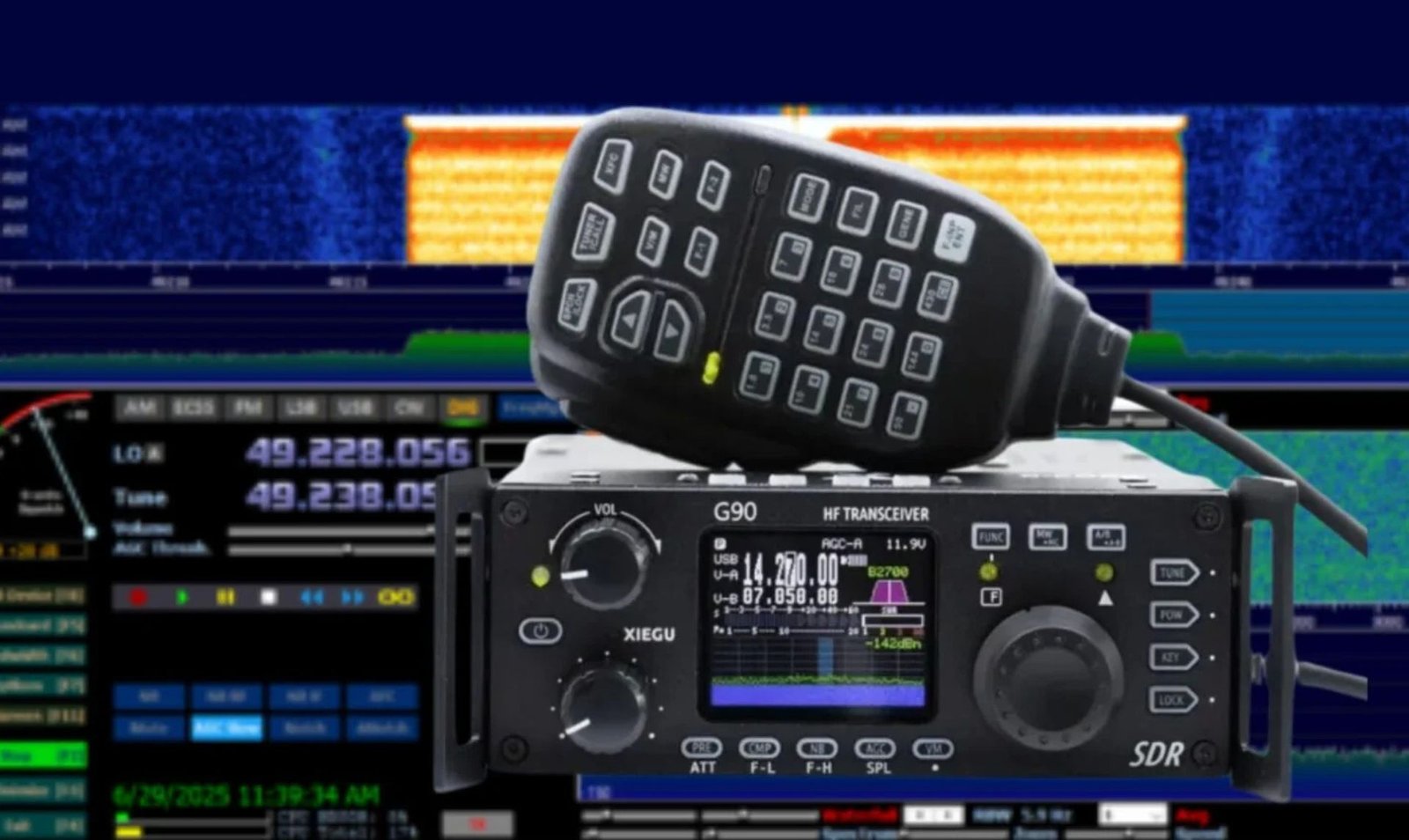
In the HDSDR software, click Options, then Cat to Radio, and finally click Setup to configure (Omnirig) for the Xiegu G90 on the HDSDR.
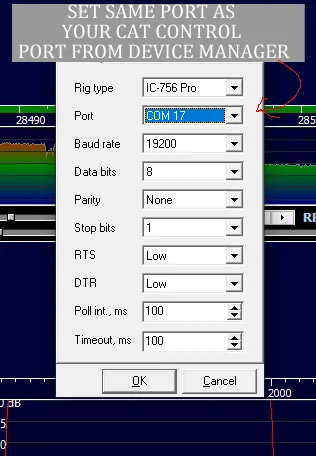
Choose IC 756 Pro under Omnirig Rig Type, followed by the COM Port it is utilizing. Check what port your CAT cable is using in Device Manager. It won’t function unless you choose the same bandwidth rate as the port. Put the number of stop bites at 1. Put both the DTR and the RTS on low.
Set Timeout and Poll Int to 100. Click OK after that.
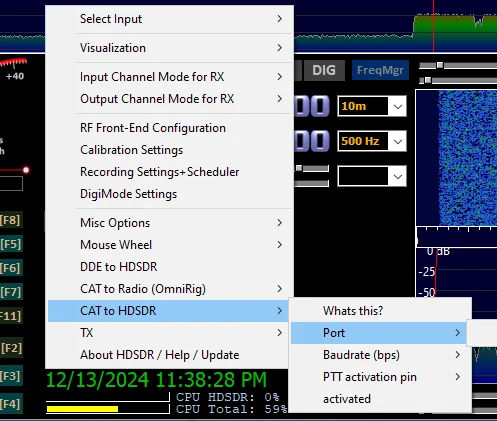
Hover your cursor over CAT to HDSDR, then select the port Omnirig is using by clicking Options in your HDSDR again.
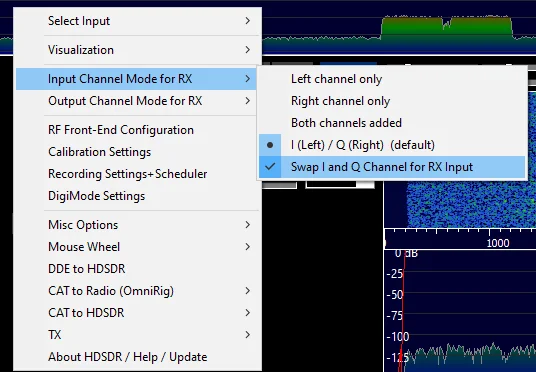
Back in options now, click Swap I and Q channels for RX input after hovering over input channel mode for RX.
Click on the RF front-end configuration after returning to the options. Select SDR if the output is Omnirig-controlled. Make sure full synchronization in both directions is selected if you want the radio to control the HDSDR and the HDSDR to control the radio. Then click OK.
Back in options, hover over Cat Radio (Omnirig), and select sync rig 1. That is it. Press start on the HDSDR, and your G90 should be synced and working.
Your G90 For Transmit Settings
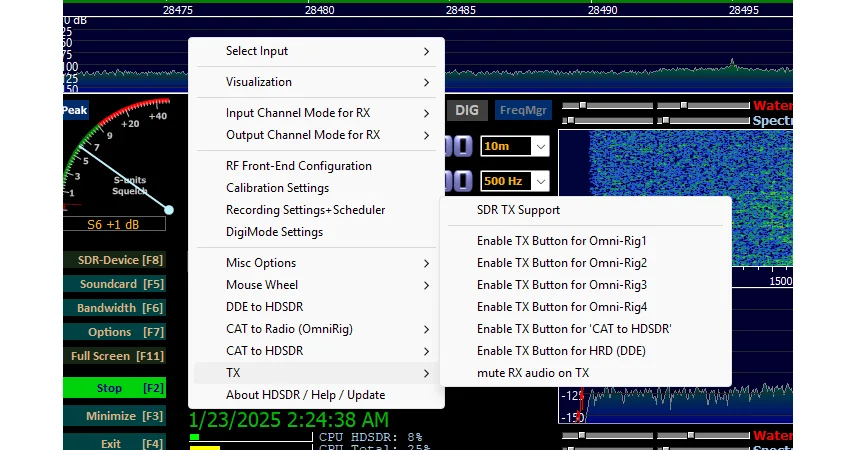
Click on the TX for the Omnirig that you’re currently using. After that, click back on the TX, then hover over to mute the RX audio on TX.

- Compatible with the expanding ACC port of all XIEGU transceivers, such as X5105, G90, G1M, convenient for users to conne…
- Helpful for upgrading your QPR radio or low power SDR by connecting to the XPA125B 100W high power amplifier.
- Recommended bundles: ① CE-19 + XPA125 + X5105 ② CE-19 + XPA125 + G1M.

- Solid structure with compact size, the G90-H1 is perfectly designed for Xiegu G90. Suitable for both using in the car or…
- Smart temperature sensor and cooling system will adjust the cooling fan speed automatically according to your G90 shell …
- With 7 cushion pads and a metal buckle, this holder can well protect and secure your RIG to the base even if you’re driv…

- With digital isolation technology, makes it compatible with the different electrical power level, working well while con…
- Recommended bundles: ①DE-19 + XPA125B + G106 ②DE-19 + G90 ③DE-19 + X5105

- Cables work for Xiegu G90 and Xiegu X5105
- Coiled cable keeps things nice and tidy by preventing knots and kinks
- One serial CAT (3.5mm TRS) cable and one Audio (Mini Din-8) cable

- The PC03 is the recommended hassle free radio programming cable designed for use on the Kenwood K1 Jack standard commonl…
- The PC03 is the genuine USB programming cable you want for easily connecting your radio to your computer. No Driver Issu…
- Unlike the common “clone” USB programming Cables available Amazon – These cables just work! You will still need need to …

- Authentic and High-Quality Set
- Broad Compatibility
- Handset-Style Design with Illumination

- Supports Xiegu G90 X6100
- STANDARD CONNECTIONS: Features a standard RJ-45 8-pin modular crystal head connector, ensuring a secure and reliable lin…
- HEADSET SUPPORT: Compatible with ordinary computer headsets using an electret microphone, allowing you to use widely ava…
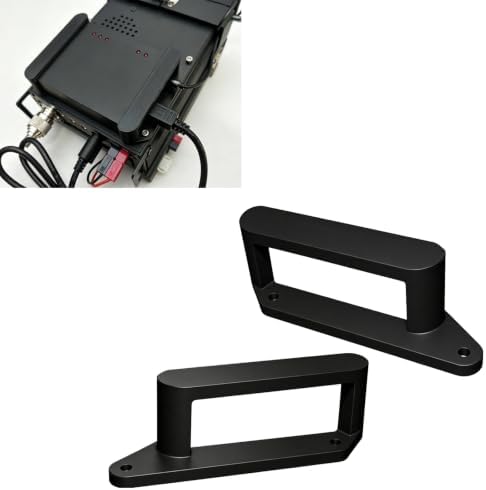
- Designed for installing a interface on the top rear area of compatible radio equipment. Creates a designated mounting po…
- The bracket helps arrange connected accessories in a compact layout, making portable and desktop radio stations easier t…
- The mounting structure uses the available rear upper area of the radio, helping reduce loose accessory placement around …

- Compatible Design: Specifically designed for New Version G90, The MullYee G90-1 Cooling Fan bracket serves as an externa…
- Intelligent Cooling System: Equipped with a fan that starts at low speed upon power connection, The Cooling Fan bracket …
- High-Quality Material: Constructed with durable materials, MullYee G90-1 Cooling Fan ensures long-lasting performance an…

- COMPATIBLE WITH XIEGU G90: Specifically designed as a bracket stand holder for the Xiegu G90 HF Transceiver Ham Radio, p…
- DURABLE IRON CONSTRUCTION: Built from solid iron with an anodic oxidation surface treatment for a long-lasting, scratch-…
- IMPROVED VIEWING ANGLE: The folding leg design elevates your Xiegu G90 transceiver to a comfortable, optimal viewing and…

- [Integrated 2-in-1 Portable Design] Streamline your field communication setup. Our tactical handle seamlessly integrates…
- [Ergonomic Comfort Grip] Carry your gear over long distances without strain. The carefully designed handle features a co…
- [Retractable Mic Hanger & Call Sign Slot] Greatly improve field operational efficiency. A built-in, precision-engineered…